Yep, we may get a tiny thank-you (read: commission) when you buy through links on Techspotr — not enough for a yacht, but enough to keep the lights (and servers) on. Learn more
26 Highlights 40 Differences 5 Reactions 0 Likes
XGIMI Elfin Flip Plus vs XGIMI MoGo 4: 26 Highlights & 40 Differences — So, Which Projector Actually Works Better
Looking for a portable projector? Let's compare two XGIMI models with distinctive specs to help you decide. We put XGIMI Elfin Flip Plus and XGIMI MoGo 4 head to head to see which projector wins. Compare their features, pros, and product type, native resolution, throw ratio & aperture size in this deep dive.
XGIMI Elfin Flip Plus vs MoGo 4: Which Portable Projector Wins Your Space?
When it comes to portable 1080p DLP projectors, both the XGIMI Elfin Flip Plus and the XGIMI MoGo 4 deliver smart entertainment packed in portable designs. Each model boasts Android TV with popular streaming apps and casts the latest in audio and video technologies. Both use LED light sources rated for a long 30,000 hours in eco mode, and support versatile mounting setups, though their form factors and performance specs differ notably. The Elfin Flip Plus shines brighter and offers a more immersive color experience, while the MoGo 4 delivers higher bit-depth color processing and a punchier sound system. These distinctions make your choice hinge on whether you prioritize visual brilliance and flexibility or a compact build paired with audio power.
Elfin Flip Plus: Brightness and Versatility in a Tablet-Style Package
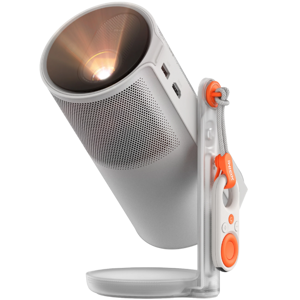
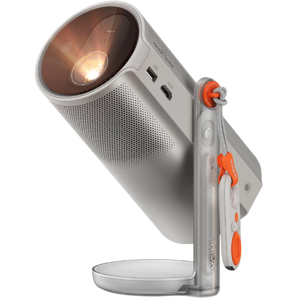
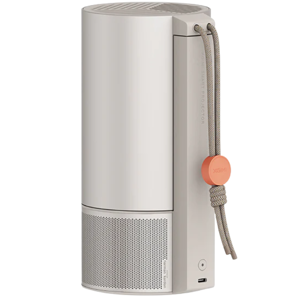
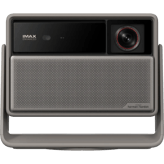
The Elfin Flip Plus brings a larger yet lightweight build, weighing just 2.4 lbs with a flat profile measuring 9.3" wide by 8.9" deep and 2.8" tall, crafted predominantly from plastic but featuring a practical carry handle for easy transport. It supports front, rear, and ceiling projection, granting flexible setup options, a major plus for users seeking diverse placement choices.
In terms of image quality, the Elfin boasts a brighter output with 500 lumens (peak ANSI lumens) and a contrast ratio peaking between 4,000:1 and dynamic contrast up to 50,000:1. Color coverage is impressive at 121%, although its native color bit depth is 8-bit. With advanced AI-enhanced image processing and AI upscaling, it optimizes visuals for various content types. Its lens setup includes an anti-reflective glass lens that auto-focuses promptly and is well protected by a dustproof design, reassuring for frequent transportation or outdoor use.
Audio power is more modest compared to MoGo 4, featuring a 3W stereo speaker system enhanced with Dolby Audio and multiple sound modes tailored for movies, music, or games. Yet, the fan noise remains notably low at 28 dB, contributing to a quieter viewing atmosphere.
Connectivity is standard but solid, with one HDMI 2.0 port and USB-A for external devices, alongside Bluetooth 5.1 for wireless audio output. The Elfin reports low input lag, around 30 ms wired and 35 ms wireless, of particular interest for gamers seeking responsive performance.
Smart features come loaded with Netflix, YouTube, and Prime Video pre-installed, plus Chromecast support and voice control for seamless navigation. The 32 GB onboard storage lets you keep apps and content handy, backed by Android TV and OTA updates to keep software current.
The MoGo 4: Compact Yet Robust With Audio and Connectivity Perks
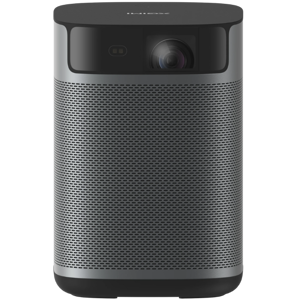
In contrast, the MoGo 4 sports a notably smaller footprint; 3.8" square at the base and 8.1" tall; constructed with a mix of plastic and metal that suggests a premium feel, despite a slightly heavier weight of 2.9 lbs. The absence of a carry handle means it's less grab-and-go, but compensated by its sturdier chassis and quieter packaging dimensions for easier storage.
While the MoGo 4 projects a bit dimmer at 450 dynamic lumens and has a lower contrast ratio around 1,000:1, it compensates with 10-bit color depth processing, delivering smoother gradients and richer color transitions ideal for nuanced movie scenes or gaming visuals. The color gamut is somewhat narrower at 90% coverage. Like Elfin, it supports AI-enhanced image processing and HDR10 for dynamic range improvements.
On the projection front, MoGo 4 supports a longer maximum throw distance, up to 16.4 feet, allowing users increased flexibility in room scaling, though it only supports front projection mode.
The lens system also features glass elements with anti-reflective coating and both auto and manual focus options, catering to more precise control, especially when projecting from varying distances.
The audio setup shines here, packing a 6W stereo speaker powerhouse that dwarfs the Elfin's 3W offering. Combined with Dolby Audio and additional sound modes, it makes the MoGo 4 a strong choice for viewers who crave robust sound without adding speakers. On the flip side, fan noise is louder at 44.5 dB, potentially noticeable in quiet environments.
Connectivity benefits from dual USB support, both USB-A and USB-C ports, giving this model greater versatility for peripheral devices. It includes one HDMI 2.0 port and Bluetooth 5.1. The remote controller is a smart remote with a backlight, enhancing user interaction and offering a slightly more modern control experience.
The MoGo 4 includes Netflix pre-installed but fewer streaming apps by default, which might require extra downloads for diverse content. Still, it has all the standard Android TV perks like voice commands, wireless casting, and 32 GB storage.
Quick Take
The XGIMI Elfin Flip Plus wins points for its brighter, higher-contrast image quality and multi-orientation projection options; ideal for flexible setups and brighter environments. Meanwhile, the MoGo 4 stands out with its compact, metal-infused design and powerful 6W speakers that deliver punchy audio, along with 10-bit color processing for richer visuals.
Bottom line
If image quality, brightness, and projection versatility top your list, the Elfin Flip Plus emerges as the more compelling choice, especially paired with a quieter fan and enhanced dust resistance. For those prioritizing audio power, connectivity options like USB-C, and a smaller footprint with a premium feel, the MoGo 4 is an attractive alternative despite its higher price tag and slightly dimmer output.
Verdict
Winner: XGIMI Elfin Flip Plus - Brighter image, versatile projection alignment, longer LED lifespan, quieter operation, and better value with more pre-installed apps.
Runner-up: XGIMI MoGo 4 - More compact and premium build, stronger audio output, 10-bit color processing, and extended throw distance, but at a higher price.
Side by side. The numbers. The features. No drama.
Not just a spec list — this is a side-by-side projectors comparison between XGIMI Elfin Flip Plus and XGIMI MoGo 4, packed with useful details, standout features, and what users actually say. See which projector wins your vote.
The XGIMI MoGo 4 is a newer model released in 2025, whereas the XGIMI Elfin Flip Plus was released in 2024. Users seeking the latest technology might prefer the MoGo 4.
Shows the year the projector model was released.
In the battle of Release Year, XGIMI Elfin Flip Plus ◉ is worse than XGIMI MoGo 4 ◉ , delivering lower 6 score measurement.
Don’t keep it to yourself — be the first to react and review the Release Year on XGIMI Elfin Flip Plus ◉ vs XGIMI MoGo 4 ◉ and help others decide!
3 XGIMI Elfin Flip Plus 0Votes Home Theater, Portable
0 XGIMI MoGo 4 0Votes Portable
vs Product Type
XGIMI Elfin Flip Plus is categorized for both Home Theater and Portable use, while XGIMI MoGo 4 is solely a Portable product. This suggests the Elfin Flip Plus offers more versatility for different environments.
Defines the general classification of this projector.
In the battle of Product Type, XGIMI Elfin Flip Plus ◉ is better than XGIMI MoGo 4 ◉ , delivering higher 3 score measurement.
Don’t keep it to yourself — be the first to react and review the Product Type on XGIMI Elfin Flip Plus ◉ vs XGIMI MoGo 4 ◉ and help others decide!
XGIMI Elfin Flip Plus comes in Cream, offering a distinctive aesthetic, while XGIMI MoGo 4 is available in Silver for a more classic look. The choice depends on personal style preference.
Indicates the color finish of the projector body.
In the battle of Color, XGIMI Elfin Flip Plus ◉ is worse than XGIMI MoGo 4 ◉ , delivering lower 18 score measurement.
Don’t keep it to yourself — be the first to react and review the Color on XGIMI Elfin Flip Plus ◉ vs XGIMI MoGo 4 ◉ and help others decide!
The XGIMI Elfin Flip Plus uses Plastic for its build material, while the XGIMI MoGo 4 incorporates both Plastic and Metal. The MoGo 4 might offer a more premium feel or increased durability due to the metal components.
Specifies the main construction material of the chassis.
In the battle of Build Material, XGIMI Elfin Flip Plus ◉ is worse than XGIMI MoGo 4 ◉ , delivering lower 8 score measurement.
Don’t keep it to yourself — be the first to react and review the Build Material on XGIMI Elfin Flip Plus ◉ vs XGIMI MoGo 4 ◉ and help others decide!
What is the intended usage type of this projector?
33 XGIMI Elfin Flip Plus 0Votes Home Theater, Gaming, Outdoor
28 XGIMI MoGo 4 0Votes Home Theater, Outdoor
vs Intended Usage Type
XGIMI Elfin Flip Plus is designed for Home Theater, Gaming, and Outdoor use, offering a broader range of applications compared to the XGIMI MoGo 4 which targets Home Theater and Outdoor only. Gamers would benefit more from the Elfin Flip Plus.
Describes the ideal application for this projector.
In the battle of Intended Usage Type, XGIMI Elfin Flip Plus ◉ is better than XGIMI MoGo 4 ◉ , delivering higher 5 score measurement.
Don’t keep it to yourself — be the first to react and review the Intended Usage Type on XGIMI Elfin Flip Plus ◉ vs XGIMI MoGo 4 ◉ and help others decide!
Country of Manufacture
What is the country of manufacture for this projector?
8 XGIMI Elfin Flip Plus 0Votes China
8 XGIMI MoGo 4 0Votes China
XGIMI Elfin Flip Plus
This projector is manufactured in China, reflecting its origin of production.
Indicates where the projector was manufactured.
In the battle of Country of Manufacture, XGIMI Elfin Flip Plus ◉ is same as XGIMI MoGo 4 ◉ .
Don’t keep it to yourself — be the first to react and review the Country of Manufacture on XGIMI Elfin Flip Plus ◉ vs XGIMI MoGo 4 ◉ and help others decide!
Projection Technology Type
What is the projection technology type of this projector?
8 XGIMI Elfin Flip Plus 0Votes DLP
8 XGIMI MoGo 4 0Votes DLP
Identifies the core imaging technology used.
In the battle of Projection Technology Type, XGIMI Elfin Flip Plus ◉ is same as XGIMI MoGo 4 ◉ .
Don’t keep it to yourself — be the first to react and review the Projection Technology Type on XGIMI Elfin Flip Plus ◉ vs XGIMI MoGo 4 ◉ and help others decide!
Imaging Chip Type
What is the imaging chip type of this projector?
38 XGIMI Elfin Flip Plus 0Votes DLP Chip
38 XGIMI MoGo 4 0Votes DLP Chip
Indicates the chip architecture that forms the image.
In the battle of Imaging Chip Type, XGIMI Elfin Flip Plus ◉ is same as XGIMI MoGo 4 ◉ .
Don’t keep it to yourself — be the first to react and review the Imaging Chip Type on XGIMI Elfin Flip Plus ◉ vs XGIMI MoGo 4 ◉ and help others decide!
Imaging Chip Size
What is the imaging chip size of this projector?
0.23 inch 0Votes
0.23 inch 0Votes
Specifies the size of the imaging chip. Larger chips generally improve performance.
In the battle of Imaging Chip Size, XGIMI Elfin Flip Plus ◉ is same as XGIMI MoGo 4 ◉ , delivering equal 0.23 inch measurement.
Don’t keep it to yourself — be the first to react and review the Imaging Chip Size on XGIMI Elfin Flip Plus ◉ vs XGIMI MoGo 4 ◉ and help others decide!
XGIMI MoGo 4 features a 10-bit color bit depth, allowing for a broader range of colors and smoother gradients compared to the XGIMI Elfin Flip Plus which has an 8-bit color bit depth. The MoGo 4 provides superior color accuracy and less banding.
Determines how finely color gradients are rendered.
In the battle of Color Bit Depth, XGIMI Elfin Flip Plus ◉ is worse than XGIMI MoGo 4 ◉ , delivering lower 2.0 bit measurement.
Based on community votes for Color Bit Depth, XGIMI Elfin Flip Plus ◉ earned 0 votes, less than XGIMI MoGo 4 ◉, which got 1 votes.
The 10-bit color depth on the MoGo 4 is pretty appealing for smoother gradients and overall visual quality. I think it would make the visuals look much richer and more nuanced, even if it's slightly dimmer.
Who knows? 0Votes XGIMI MoGo 4 (Help us out by suggesting one!)
vs Peak ANSI Lumens
The XGIMI Elfin Flip Plus specifies a Peak ANSI Lumens of 500, providing a clear industry standard for brightness, while this specification is not available for the XGIMI MoGo 4. This makes it harder to directly compare the standardized brightness of the MoGo 4.
Industry-standard brightness measurement using ANSI method.
Don’t keep it to yourself — be the first to react and review the Peak ANSI Lumens on XGIMI Elfin Flip Plus ◉ vs XGIMI MoGo 4 ◉ and help others decide!
The XGIMI Elfin Flip Plus boasts a contrast ratio of 4000:1, which is significantly higher than the XGIMI MoGo 4's 1000:1. This means the Elfin Flip Plus will display deeper blacks and brighter whites, resulting in a more vivid picture.
Represents the difference between the darkest black and brightest white produced by the projector.
In the battle of Contrast Ratio, XGIMI Elfin Flip Plus ◉ is better than XGIMI MoGo 4 ◉ , delivering higher 14 score measurement.
Don’t keep it to yourself — be the first to react and review the Contrast Ratio on XGIMI Elfin Flip Plus ◉ vs XGIMI MoGo 4 ◉ and help others decide!
XGIMI Elfin Flip Plus offers a brightness output of 500 lumens, which is 50 lumens brighter than the XGIMI MoGo 4 at 450 lumens. The Elfin Flip Plus will provide a slightly brighter image, especially in rooms with some ambient light.
Indicates overall light output for visibility in ambient light.
In the battle of Brightness Output, XGIMI Elfin Flip Plus ◉ is better than XGIMI MoGo 4 ◉ , delivering higher 50.0 lumen measurement.
Based on community votes for Brightness Output, XGIMI Elfin Flip Plus ◉ earned 1 votes, more than XGIMI MoGo 4 ◉, which got 0 votes.
The Elfin Flip Plus is definitely brighter at 500 lumens, which is a significant plus for my viewing environment. I really need that extra brightness for daytime use, so it's a clear winner.
The true physical pixel resolution produced by the projector.
In the battle of Native Resolution, XGIMI Elfin Flip Plus ◉ is same as XGIMI MoGo 4 ◉ .
Don’t keep it to yourself — be the first to react and review the Native Resolution on XGIMI Elfin Flip Plus ◉ vs XGIMI MoGo 4 ◉ and help others decide!
Who knows? 0Votes XGIMI MoGo 4 (Help us out by suggesting one!)
vs Dynamic Contrast Ratio
XGIMI Elfin Flip Plus features a dynamic contrast ratio ranging from 10,000:1 to 50,000:1, enhancing image depth, whereas this specification is not available for XGIMI MoGo 4. The Elfin Flip Plus offers a more detailed and adaptable image quality.
What is the dynamic contrast ratio?
Don’t keep it to yourself — be the first to react and review the Dynamic Contrast Ratio on XGIMI Elfin Flip Plus ◉ vs XGIMI MoGo 4 ◉ and help others decide!
XGIMI Elfin Flip Plus offers a color gamut coverage of 121%, significantly wider than XGIMI MoGo 4's 90%. The Elfin Flip Plus will produce a richer, more vibrant, and accurate color reproduction.
Indicates percent coverage of color spaces such as Rec.709 or DCI-P3.
In the battle of Color Gamut Coverage, XGIMI Elfin Flip Plus ◉ is better than XGIMI MoGo 4 ◉ , delivering higher 31.0 % measurement.
Don’t keep it to yourself — be the first to react and review the Color Gamut Coverage on XGIMI Elfin Flip Plus ◉ vs XGIMI MoGo 4 ◉ and help others decide!
The XGIMI Elfin Flip Plus offers an HDR peak brightness of 500 lumens, which is 50 lumens higher than the XGIMI MoGo 4's 450 lumens. This means the Elfin Flip Plus will deliver a more impactful HDR experience with brighter highlights.
How bright the projector can go during HDR highlights.
In the battle of HDR Peak Brightness, XGIMI Elfin Flip Plus ◉ is better than XGIMI MoGo 4 ◉ , delivering higher 50.0 lumen measurement.
Don’t keep it to yourself — be the first to react and review the HDR Peak Brightness on XGIMI Elfin Flip Plus ◉ vs XGIMI MoGo 4 ◉ and help others decide!
Determines motion smoothness for gaming and video.
In the battle of Refresh Rate, XGIMI Elfin Flip Plus ◉ is same as XGIMI MoGo 4 ◉ , delivering equal 60.00 Hz measurement.
Don’t keep it to yourself — be the first to react and review the Refresh Rate on XGIMI Elfin Flip Plus ◉ vs XGIMI MoGo 4 ◉ and help others decide!
Maximum Supported Resolution
What is the maximum supported resolution of this projector?
33 XGIMI Elfin Flip Plus 0Votes 1080p
33 XGIMI MoGo 4 0Votes 1080p
XGIMI Elfin Flip Plus
The maximum supported resolution for content input is 1080p, ensuring compatibility with Full HD video sources.
XGIMI MoGo 4
The projector supports a maximum input resolution of 1080p, delivering full HD clarity for movies, games, and presentations.
The highest resolution signal the projector can accept.
In the battle of Maximum Supported Resolution, XGIMI Elfin Flip Plus ◉ is same as XGIMI MoGo 4 ◉ .
Don’t keep it to yourself — be the first to react and review the Maximum Supported Resolution on XGIMI Elfin Flip Plus ◉ vs XGIMI MoGo 4 ◉ and help others decide!
HDR Format Support
What HDR formats does this projector support?
9 XGIMI Elfin Flip Plus 0Votes HDR10
9 XGIMI MoGo 4 0Votes HDR10
XGIMI Elfin Flip Plus
The projector supports HDR10 format, providing enhanced contrast, color accuracy, and brighter highlights for a more immersive viewing experience with compatible content.
XGIMI MoGo 4
The projector supports HDR10, allowing for a wider range of colors and contrast in compatible content, resulting in a more vivid picture.
Specifies which HDR formats the projector can display.
In the battle of HDR Format Support, XGIMI Elfin Flip Plus ◉ is same as XGIMI MoGo 4 ◉ .
Don’t keep it to yourself — be the first to react and review the HDR Format Support on XGIMI Elfin Flip Plus ◉ vs XGIMI MoGo 4 ◉ and help others decide!
Sharpness Enhancement Type
Crisp detail with sharpness level :val.
28 XGIMI Elfin Flip Plus 0Votes 2–4 (Balanced)
28 XGIMI MoGo 4 0Votes 2–4 (Balanced)
XGIMI Elfin Flip Plus
The projector uses a 2–4 (Balanced) sharpness enhancement type, providing a natural-looking image without excessive or artificial sharpening.
What is the sharpness enhancement level?
In the battle of Sharpness Enhancement Type, XGIMI Elfin Flip Plus ◉ is same as XGIMI MoGo 4 ◉ .
Don’t keep it to yourself — be the first to react and review the Sharpness Enhancement Type on XGIMI Elfin Flip Plus ◉ vs XGIMI MoGo 4 ◉ and help others decide!
Pixel Shifting
Does this projector support pixel shifting?
No 0Votes XGIMI Elfin Flip Plus
No 0Votes XGIMI MoGo 4
Indicates whether resolution enhancement via pixel shifting is supported.
In the battle of Pixel Shifting, XGIMI Elfin Flip Plus ◉ is same as XGIMI MoGo 4 ◉ .
Don’t keep it to yourself — be the first to react and review the Pixel Shifting on XGIMI Elfin Flip Plus ◉ vs XGIMI MoGo 4 ◉ and help others decide!
Frame Interpolation
Does this projector support frame interpolation?
No 0Votes XGIMI Elfin Flip Plus
No 0Votes XGIMI MoGo 4
Allows smoother motion for sports and fast scenes.
In the battle of Frame Interpolation, XGIMI Elfin Flip Plus ◉ is same as XGIMI MoGo 4 ◉ .
Don’t keep it to yourself — be the first to react and review the Frame Interpolation on XGIMI Elfin Flip Plus ◉ vs XGIMI MoGo 4 ◉ and help others decide!
Motion Processing Type
Smooth motion processing with level :val.
28 XGIMI Elfin Flip Plus 0Votes 2–5 (Standard)
28 XGIMI MoGo 4 0Votes 2–5 (Standard)
What is the motion processing level?
In the battle of Motion Processing Type, XGIMI Elfin Flip Plus ◉ is same as XGIMI MoGo 4 ◉ .
Don’t keep it to yourself — be the first to react and review the Motion Processing Type on XGIMI Elfin Flip Plus ◉ vs XGIMI MoGo 4 ◉ and help others decide!
XGIMI Elfin Flip Plus supports multiple projection alignment types including Front, Rear, and Ceiling, providing greater installation flexibility. In contrast, XGIMI MoGo 4 only supports Front projection, limiting its placement options.
Describes how the projector aligns with the screen.
In the battle of Projection Alignment Type, XGIMI Elfin Flip Plus ◉ is same as XGIMI MoGo 4 ◉ .
Based on community votes for Projection Alignment Type, XGIMI Elfin Flip Plus ◉ earned 1 votes, more than XGIMI MoGo 4 ◉, which got 0 votes.
I really need flexible placement options for my projector setup. The Elfin Flip Plus supporting front, rear, and ceiling projection is a huge win for me over the MoGo 4's front-only limitation. This versatility is key.
28 XGIMI Elfin Flip Plus 0Votes 1.0–1.5 (Standard)
33 XGIMI MoGo 4 0Votes 1.2:1
vs Throw Ratio
The XGIMI Elfin Flip Plus has a variable throw ratio of 1.0–1.5 (Standard), offering flexibility in placement, while the XGIMI MoGo 4 has a fixed throw ratio of 1.2:1. The Elfin Flip Plus allows for more versatile setup options regarding screen size and distance.
What is the throw ratio?
In the battle of Throw Ratio, XGIMI Elfin Flip Plus ◉ is worse than XGIMI MoGo 4 ◉ , delivering lower 5 score measurement.
Don’t keep it to yourself — be the first to react and review the Throw Ratio on XGIMI Elfin Flip Plus ◉ vs XGIMI MoGo 4 ◉ and help others decide!
The XGIMI MoGo 4 can project from a maximum throw distance of 16.4 feet (approximately 5 meters), significantly further than the XGIMI Elfin Flip Plus's maximum of 10 feet. This makes the MoGo 4 more suitable for larger rooms or outdoor setups requiring a bigger screen from a distance.
Maximum distance at which the projector can achieve a proper image.
In the battle of Maximum Throw Distance, XGIMI Elfin Flip Plus ◉ is worse than XGIMI MoGo 4 ◉ , delivering lower 6.4 ft measurement.
Don’t keep it to yourself — be the first to react and review the Maximum Throw Distance on XGIMI Elfin Flip Plus ◉ vs XGIMI MoGo 4 ◉ and help others decide!
In the battle of Auto Keystone, XGIMI Elfin Flip Plus ◉ is same as XGIMI MoGo 4 ◉ .
Don’t keep it to yourself — be the first to react and review the Auto Keystone on XGIMI Elfin Flip Plus ◉ vs XGIMI MoGo 4 ◉ and help others decide!
Minimum Throw Distance
What is the minimum throw distance?
3.3 ft 0Votes
3.3 ft 0Votes
XGIMI MoGo 4
The minimum throw distance is 3.3 ft (1.01 m), allowing for a clear image even when placed relatively close to the screen.
Closest usable distance between projector and screen.
In the battle of Minimum Throw Distance, XGIMI Elfin Flip Plus ◉ is same as XGIMI MoGo 4 ◉ , delivering equal 3.30 ft measurement.
Don’t keep it to yourself — be the first to react and review the Minimum Throw Distance on XGIMI Elfin Flip Plus ◉ vs XGIMI MoGo 4 ◉ and help others decide!
Keystone Correction Horizontal
What is the horizontal keystone correction?
40 degree 0Votes
40 degree 0Votes
XGIMI MoGo 4
The projector supports horizontal keystone correction up to 40 degrees, allowing for flexible placement and a perfectly rectangular image.
Horizontal angle adjustment to correct image distortion.
In the battle of Keystone Correction Horizontal, XGIMI Elfin Flip Plus ◉ is same as XGIMI MoGo 4 ◉ , delivering equal 40.00 degree measurement.
Don’t keep it to yourself — be the first to react and review the Keystone Correction Horizontal on XGIMI Elfin Flip Plus ◉ vs XGIMI MoGo 4 ◉ and help others decide!
Screen Size Maximum
What is the maximum supported screen size?
200 inch 0Votes
200 inch 0Votes
XGIMI MoGo 4
The maximum projected screen size is 200 inch (508 cm), offering a large-format viewing experience.
Largest supported diagonal projection size.
In the battle of Screen Size Maximum, XGIMI Elfin Flip Plus ◉ is same as XGIMI MoGo 4 ◉ , delivering equal 200.00 inch measurement.
Don’t keep it to yourself — be the first to react and review the Screen Size Maximum on XGIMI Elfin Flip Plus ◉ vs XGIMI MoGo 4 ◉ and help others decide!
Short Throw
Does this projector support short throw usage?
No 0Votes XGIMI Elfin Flip Plus
No 0Votes XGIMI MoGo 4
Indicates whether the projector is designed for short-throw projection.
In the battle of Short Throw, XGIMI Elfin Flip Plus ◉ is same as XGIMI MoGo 4 ◉ .
Don’t keep it to yourself — be the first to react and review the Short Throw on XGIMI Elfin Flip Plus ◉ vs XGIMI MoGo 4 ◉ and help others decide!
Ultra Short Throw
Does this projector support ultra short throw projection?
No 0Votes XGIMI Elfin Flip Plus
No 0Votes XGIMI MoGo 4
Indicates whether the projector can project large images at extremely short distances.
In the battle of Ultra Short Throw, XGIMI Elfin Flip Plus ◉ is same as XGIMI MoGo 4 ◉ .
Don’t keep it to yourself — be the first to react and review the Ultra Short Throw on XGIMI Elfin Flip Plus ◉ vs XGIMI MoGo 4 ◉ and help others decide!
Keystone Correction Vertical
What is the vertical keystone correction?
40 degree 0Votes
40 degree 0Votes
Vertical angle adjustment to correct image distortion.
In the battle of Keystone Correction Vertical, XGIMI Elfin Flip Plus ◉ is same as XGIMI MoGo 4 ◉ , delivering equal 40.00 degree measurement.
Don’t keep it to yourself — be the first to react and review the Keystone Correction Vertical on XGIMI Elfin Flip Plus ◉ vs XGIMI MoGo 4 ◉ and help others decide!
Lens Shift Vertical
What is the vertical lens shift?
Who knows? 0Votes XGIMI Elfin Flip Plus (Help us out by suggesting one!)
Who knows? 0Votes XGIMI MoGo 4 (Help us out by suggesting one!)
Vertical lens movement for distortion-free positioning.
Don’t keep it to yourself — be the first to react and review the Lens Shift Vertical on XGIMI Elfin Flip Plus ◉ vs XGIMI MoGo 4 ◉ and help others decide!
Lens Shift Horizontal
What is the horizontal lens shift?
Who knows? 0Votes XGIMI Elfin Flip Plus (Help us out by suggesting one!)
Who knows? 0Votes XGIMI MoGo 4 (Help us out by suggesting one!)
Horizontal lens movement to fine-tune placement.
Don’t keep it to yourself — be the first to react and review the Lens Shift Horizontal on XGIMI Elfin Flip Plus ◉ vs XGIMI MoGo 4 ◉ and help others decide!
Digital Zoom Level
Useful zoom reaching :valx.
28 XGIMI Elfin Flip Plus 0Votes 1.1x–1.5x (Moderate)
28 XGIMI MoGo 4 0Votes 1.1x–1.5x (Moderate)
What is the digital zoom level?
In the battle of Digital Zoom Level, XGIMI Elfin Flip Plus ◉ is same as XGIMI MoGo 4 ◉ .
Don’t keep it to yourself — be the first to react and review the Digital Zoom Level on XGIMI Elfin Flip Plus ◉ vs XGIMI MoGo 4 ◉ and help others decide!
Optical Zoom Level
High-quality optical zoom at :valx.
0 XGIMI Elfin Flip Plus 0Votes 1.1x (Entry)
0 XGIMI MoGo 4 0Votes 1.1x (Entry)
What is the optical zoom level?
In the battle of Optical Zoom Level, XGIMI Elfin Flip Plus ◉ is same as XGIMI MoGo 4 ◉ .
Don’t keep it to yourself — be the first to react and review the Optical Zoom Level on XGIMI Elfin Flip Plus ◉ vs XGIMI MoGo 4 ◉ and help others decide!
Screen Size Minimum
What is the minimum supported screen size?
40 inch 0Votes
40 inch 0Votes
Smallest supported diagonal projection size.
In the battle of Screen Size Minimum, XGIMI Elfin Flip Plus ◉ is same as XGIMI MoGo 4 ◉ , delivering equal 40.00 inch measurement.
Don’t keep it to yourself — be the first to react and review the Screen Size Minimum on XGIMI Elfin Flip Plus ◉ vs XGIMI MoGo 4 ◉ and help others decide!
Who knows? 0Votes XGIMI MoGo 4 (Help us out by suggesting one!)
vs Aperture Size
XGIMI Elfin Flip Plus specifies an aperture size of 2 f-stop, indicating its optical light-gathering capability, whereas this information is not available for XGIMI MoGo 4. This provides more transparency about the lens performance of the Elfin Flip Plus.
Specifies the optical aperture size affecting brightness and depth.
Don’t keep it to yourself — be the first to react and review the Aperture Size on XGIMI Elfin Flip Plus ◉ vs XGIMI MoGo 4 ◉ and help others decide!
The XGIMI Elfin Flip Plus has a manual focus range suited for short-to-mid throw distances, while the XGIMI MoGo 4 supports both Auto and Manual focus, offering more control. Users who prefer to fine-tune focus manually would appreciate the MoGo 4's option.
Indicates the distance range manual focus can adjust for.
In the battle of Manual Focus Range, XGIMI Elfin Flip Plus ◉ is same as XGIMI MoGo 4 ◉ .
Don’t keep it to yourself — be the first to react and review the Manual Focus Range on XGIMI Elfin Flip Plus ◉ vs XGIMI MoGo 4 ◉ and help others decide!
Lens Material
What is the lens material?
0 XGIMI Elfin Flip Plus 0Votes Glass
0 XGIMI MoGo 4 0Votes Glass
XGIMI MoGo 4
The projector features a glass lens, which typically offers superior clarity and durability compared to plastic alternatives.
Indicates the primary material used in the projector lens.
In the battle of Lens Material, XGIMI Elfin Flip Plus ◉ is same as XGIMI MoGo 4 ◉ .
Don’t keep it to yourself — be the first to react and review the Lens Material on XGIMI Elfin Flip Plus ◉ vs XGIMI MoGo 4 ◉ and help others decide!
Focus Type
What is the focus type of this projector?
0 XGIMI Elfin Flip Plus 0Votes Auto
0 XGIMI MoGo 4 0Votes Auto
XGIMI MoGo 4
The projector uses auto focus, ensuring that the image is always sharp and clear without manual adjustment.
Defines how the projector adjusts focus.
In the battle of Focus Type, XGIMI Elfin Flip Plus ◉ is same as XGIMI MoGo 4 ◉ .
Don’t keep it to yourself — be the first to react and review the Focus Type on XGIMI Elfin Flip Plus ◉ vs XGIMI MoGo 4 ◉ and help others decide!
Dustproof Lens Design
Does this projector have a dustproof lens design?
Yes 0Votes XGIMI Elfin Flip Plus
Yes 0Votes XGIMI MoGo 4
XGIMI MoGo 4
The dustproof lens design helps protect the optical components from dust accumulation, ensuring clearer images and reducing maintenance.
Specifies whether the lens is designed to resist dust intrusion.
In the battle of Dustproof Lens Design, XGIMI Elfin Flip Plus ◉ is same as XGIMI MoGo 4 ◉ .
Don’t keep it to yourself — be the first to react and review the Dustproof Lens Design on XGIMI Elfin Flip Plus ◉ vs XGIMI MoGo 4 ◉ and help others decide!
Lens Coating Type
What is the lens coating type?
0 XGIMI Elfin Flip Plus 0Votes Anti-Reflective
0 XGIMI MoGo 4 0Votes Anti-Reflective
Defines special coatings that enhance optical performance.
In the battle of Lens Coating Type, XGIMI Elfin Flip Plus ◉ is same as XGIMI MoGo 4 ◉ .
Don’t keep it to yourself — be the first to react and review the Lens Coating Type on XGIMI Elfin Flip Plus ◉ vs XGIMI MoGo 4 ◉ and help others decide!
Auto Focus
Does this projector support auto focus?
Yes 0Votes XGIMI Elfin Flip Plus
Yes 0Votes XGIMI MoGo 4
Indicates whether the projector can automatically adjust focus.
In the battle of Auto Focus, XGIMI Elfin Flip Plus ◉ is same as XGIMI MoGo 4 ◉ .
Don’t keep it to yourself — be the first to react and review the Auto Focus on XGIMI Elfin Flip Plus ◉ vs XGIMI MoGo 4 ◉ and help others decide!
Lens Motor Noise Level
What is the lens motor noise level?
Who knows? 0Votes XGIMI Elfin Flip Plus (Help us out by suggesting one!)
Who knows? 0Votes XGIMI MoGo 4 (Help us out by suggesting one!)
Measures noise generated during lens adjustments.
Don’t keep it to yourself — be the first to react and review the Lens Motor Noise Level on XGIMI Elfin Flip Plus ◉ vs XGIMI MoGo 4 ◉ and help others decide!
Lens Protection Cover
Does this projector include a lens protection cover?
No 0Votes XGIMI Elfin Flip Plus
No 0Votes XGIMI MoGo 4
Indicates whether the lens includes a physical protection cover.
In the battle of Lens Protection Cover, XGIMI Elfin Flip Plus ◉ is same as XGIMI MoGo 4 ◉ .
Don’t keep it to yourself — be the first to react and review the Lens Protection Cover on XGIMI Elfin Flip Plus ◉ vs XGIMI MoGo 4 ◉ and help others decide!
Lens Replacement Compatibility
Is the lens replaceable?
No 0Votes XGIMI Elfin Flip Plus
No 0Votes XGIMI MoGo 4
Indicates whether the projector's lens can be replaced or upgraded.
In the battle of Lens Replacement Compatibility, XGIMI Elfin Flip Plus ◉ is same as XGIMI MoGo 4 ◉ .
Don’t keep it to yourself — be the first to react and review the Lens Replacement Compatibility on XGIMI Elfin Flip Plus ◉ vs XGIMI MoGo 4 ◉ and help others decide!
Utilizing an LED light source, this projector offers a long lifespan, consistent brightness, and a wide color gamut, often resulting in quicker startup times.
Defines the illumination technology powering the projector.
In the battle of Light Source Type, XGIMI Elfin Flip Plus ◉ is same as XGIMI MoGo 4 ◉ .
Don’t keep it to yourself — be the first to react and review the Light Source Type on XGIMI Elfin Flip Plus ◉ vs XGIMI MoGo 4 ◉ and help others decide!
The XGIMI Elfin Flip Plus has a light source lifetime of 25,000 hours in normal mode, which is 5,000 hours longer than the XGIMI MoGo 4's 20,000 hours. The Elfin Flip Plus offers a longer lifespan before needing a light source replacement.
Estimated lifespan in standard usage mode.
In the battle of Light Source Lifetime Normal Mode, XGIMI Elfin Flip Plus ◉ is better than XGIMI MoGo 4 ◉ , delivering higher 5,000.0 hour measurement.
Don’t keep it to yourself — be the first to react and review the Light Source Lifetime Normal Mode on XGIMI Elfin Flip Plus ◉ vs XGIMI MoGo 4 ◉ and help others decide!
Who knows? 0Votes XGIMI MoGo 4 (Help us out by suggesting one!)
vs Light Efficiency
XGIMI Elfin Flip Plus reports a light efficiency of 20%, offering an indication of its energy use for light generation, while this specification is not available for XGIMI MoGo 4. This provides more technical detail for the Elfin Flip Plus.
Measures how effectively the light source converts power into brightness.
Don’t keep it to yourself — be the first to react and review the Light Efficiency on XGIMI Elfin Flip Plus ◉ vs XGIMI MoGo 4 ◉ and help others decide!
Who knows? 0Votes XGIMI MoGo 4 (Help us out by suggesting one!)
vs Light Source Power Output
XGIMI Elfin Flip Plus has a light source power output of 65 Watts, providing insight into its energy consumption and potential brightness, but this detail is not available for XGIMI MoGo 4. This spec gives a clearer picture of the Elfin Flip Plus's light engine.
Indicates the wattage of the light source, affecting brightness potential.
Don’t keep it to yourself — be the first to react and review the Light Source Power Output on XGIMI Elfin Flip Plus ◉ vs XGIMI MoGo 4 ◉ and help others decide!
Who knows? 0Votes XGIMI MoGo 4 (Help us out by suggesting one!)
vs Cool-Down Time
The XGIMI Elfin Flip Plus has a quick cool-down time of 5 seconds, allowing for fast shutdown, but this information is not available for the XGIMI MoGo 4. The Elfin Flip Plus offers more convenience for quick packing after use.
Time required before the projector safely powers off.
Don’t keep it to yourself — be the first to react and review the Cool-Down Time on XGIMI Elfin Flip Plus ◉ vs XGIMI MoGo 4 ◉ and help others decide!
What is the color temperature setting of this projector?
0 XGIMI Elfin Flip Plus 0Votes Warm, Neutral, Cool, Custom
0 XGIMI MoGo 4 0Votes Warm, Neutral, Cool
vs Color Temperature
XGIMI Elfin Flip Plus offers Warm, Neutral, Cool, and Custom color temperature options, giving users more control over their image's white balance. XGIMI MoGo 4 provides Warm, Neutral, and Cool presets but lacks a custom option.
Defines the visual warmth or coolness profile of the projected image.
In the battle of Color Temperature, XGIMI Elfin Flip Plus ◉ is same as XGIMI MoGo 4 ◉ .
Don’t keep it to yourself — be the first to react and review the Color Temperature on XGIMI Elfin Flip Plus ◉ vs XGIMI MoGo 4 ◉ and help others decide!
Light Source Lifetime Eco Mode
What is the light source lifetime in eco mode?
30,000 hour 0Votes
30,000 hour 0Votes
Estimated lifespan of the light source in eco mode.
In the battle of Light Source Lifetime Eco Mode, XGIMI Elfin Flip Plus ◉ is same as XGIMI MoGo 4 ◉ , delivering equal 30,000.00 hour measurement.
Don’t keep it to yourself — be the first to react and review the Light Source Lifetime Eco Mode on XGIMI Elfin Flip Plus ◉ vs XGIMI MoGo 4 ◉ and help others decide!
Warm-Up Time
What is the warm-up time?
5 second 0Votes
5 second 0Votes
Time required for the projector to reach full brightness.
In the battle of Warm-Up Time, XGIMI Elfin Flip Plus ◉ is same as XGIMI MoGo 4 ◉ , delivering equal 5.00 second measurement.
Don’t keep it to yourself — be the first to react and review the Warm-Up Time on XGIMI Elfin Flip Plus ◉ vs XGIMI MoGo 4 ◉ and help others decide!
Light Source Replaceability
Can the light source be replaced?
No 0Votes XGIMI Elfin Flip Plus
No 0Votes XGIMI MoGo 4
Indicates whether users can replace the light source.
In the battle of Light Source Replaceability, XGIMI Elfin Flip Plus ◉ is same as XGIMI MoGo 4 ◉ .
Don’t keep it to yourself — be the first to react and review the Light Source Replaceability on XGIMI Elfin Flip Plus ◉ vs XGIMI MoGo 4 ◉ and help others decide!
Light Uniformity Rating
What is the light uniformity rating of this projector?
0 XGIMI Elfin Flip Plus 0Votes High
0 XGIMI MoGo 4 0Votes High
Indicates how evenly brightness is distributed across the screen.
In the battle of Light Uniformity Rating, XGIMI Elfin Flip Plus ◉ is same as XGIMI MoGo 4 ◉ .
Don’t keep it to yourself — be the first to react and review the Light Uniformity Rating on XGIMI Elfin Flip Plus ◉ vs XGIMI MoGo 4 ◉ and help others decide!
Light Flicker Control
Does this projector include light flicker control?
Yes 0Votes XGIMI Elfin Flip Plus
Yes 0Votes XGIMI MoGo 4
Indicates whether flicker reduction technology is implemented.
In the battle of Light Flicker Control, XGIMI Elfin Flip Plus ◉ is same as XGIMI MoGo 4 ◉ .
Don’t keep it to yourself — be the first to react and review the Light Flicker Control on XGIMI Elfin Flip Plus ◉ vs XGIMI MoGo 4 ◉ and help others decide!
This projector features auto color correction, which automatically adjusts color balance and accuracy for optimal image quality without manual intervention.
Automatically adjusts colors for the best image quality.
In the battle of Auto Color Correction, XGIMI Elfin Flip Plus ◉ is same as XGIMI MoGo 4 ◉ .
Don’t keep it to yourself — be the first to react and review the Auto Color Correction on XGIMI Elfin Flip Plus ◉ vs XGIMI MoGo 4 ◉ and help others decide!
Does this projector include black level enhancement?
Yes 0Votes XGIMI Elfin Flip Plus
Yes 0Votes XGIMI MoGo 4
XGIMI MoGo 4
Black level enhancement improves the depth and detail in dark scenes, making images appear more vibrant and realistic.
Deepens dark scenes for improved shadow detail.
In the battle of Black Level Enhancement, XGIMI Elfin Flip Plus ◉ is same as XGIMI MoGo 4 ◉ .
Don’t keep it to yourself — be the first to react and review the Black Level Enhancement on XGIMI Elfin Flip Plus ◉ vs XGIMI MoGo 4 ◉ and help others decide!
0 XGIMI Elfin Flip Plus 0Votes sRGB, Rec709, Cinema
0 XGIMI MoGo 4 0Votes sRGB, Rec709, Cinema
Predefined settings for accurate color reproduction.
In the battle of Color Calibration Profiles, XGIMI Elfin Flip Plus ◉ is same as XGIMI MoGo 4 ◉ .
Don’t keep it to yourself — be the first to react and review the Color Calibration Profiles on XGIMI Elfin Flip Plus ◉ vs XGIMI MoGo 4 ◉ and help others decide!
XGIMI Elfin Flip Plus offers multiple gamma adjustment levels, providing advanced control over image contrast and brightness, while XGIMI MoGo 4 uses preset-based gamma adjustments. The Elfin Flip Plus allows for more precise image calibration.
Controls mid-tone brightness for accurate contrast.
In the battle of Gamma Adjustment Levels, XGIMI Elfin Flip Plus ◉ is same as XGIMI MoGo 4 ◉ .
Don’t keep it to yourself — be the first to react and review the Gamma Adjustment Levels on XGIMI Elfin Flip Plus ◉ vs XGIMI MoGo 4 ◉ and help others decide!
Does this projector include white balance control?
Yes 0Votes XGIMI Elfin Flip Plus
Yes 0Votes XGIMI MoGo 4
Allows tuning of color balance for accurate whites.
In the battle of White Balance Control, XGIMI Elfin Flip Plus ◉ is same as XGIMI MoGo 4 ◉ .
Don’t keep it to yourself — be the first to react and review the White Balance Control on XGIMI Elfin Flip Plus ◉ vs XGIMI MoGo 4 ◉ and help others decide!
Who knows? 0Votes XGIMI MoGo 4 (Help us out by suggesting one!)
vs Color Wheel Speed (for DLP)
The XGIMI Elfin Flip Plus specifies a 6x color wheel speed for its DLP technology, which helps reduce the rainbow effect, but this detail is unavailable for the XGIMI MoGo 4. Users sensitive to the rainbow effect might find the Elfin Flip Plus a safer choice.
Defines the rotational speed of the DLP color wheel, affecting color accuracy and rainbow artifact reduction.
Don’t keep it to yourself — be the first to react and review the Color Wheel Speed (for DLP) on XGIMI Elfin Flip Plus ◉ vs XGIMI MoGo 4 ◉ and help others decide!
Image Processor Type
What is the image processor type?
0 XGIMI Elfin Flip Plus 0Votes AI-Enhanced
0 XGIMI MoGo 4 0Votes AI-Enhanced
XGIMI Elfin Flip Plus
Featuring an AI-Enhanced image processor, the projector intelligently optimizes picture quality by analyzing and improving various aspects of the image in real-time.
Specifies the processing engine that handles color, scaling, and image optimization.
In the battle of Image Processor Type, XGIMI Elfin Flip Plus ◉ is same as XGIMI MoGo 4 ◉ .
Don’t keep it to yourself — be the first to react and review the Image Processor Type on XGIMI Elfin Flip Plus ◉ vs XGIMI MoGo 4 ◉ and help others decide!
Image Processing Bit Depth
What is the image processing bit depth?
10 bit 0Votes
10 bit 0Votes
XGIMI Elfin Flip Plus
A 10-bit image processing depth allows for a much wider range of colors and smoother gradients compared to 8-bit, enhancing picture fidelity.
Indicates color precision and gradient smoothness.
In the battle of Image Processing Bit Depth, XGIMI Elfin Flip Plus ◉ is same as XGIMI MoGo 4 ◉ , delivering equal 10.00 bit measurement.
Don’t keep it to yourself — be the first to react and review the Image Processing Bit Depth on XGIMI Elfin Flip Plus ◉ vs XGIMI MoGo 4 ◉ and help others decide!
Image Scaling Engine Type
What type of image scaling engine does this projector use?
0 XGIMI Elfin Flip Plus 0Votes AI Upscaling
0 XGIMI MoGo 4 0Votes AI Upscaling
XGIMI MoGo 4
The AI Upscaling engine enhances lower-resolution content to near-4K quality, providing a sharper and more detailed image.
Defines the scaling engine used to upscale lower-resolution content to the projector’s native resolution.
In the battle of Image Scaling Engine Type, XGIMI Elfin Flip Plus ◉ is same as XGIMI MoGo 4 ◉ .
Don’t keep it to yourself — be the first to react and review the Image Scaling Engine Type on XGIMI Elfin Flip Plus ◉ vs XGIMI MoGo 4 ◉ and help others decide!
Noise Reduction Type
What type of noise reduction does this projector use?
0 XGIMI Elfin Flip Plus 0Votes Standard
0 XGIMI MoGo 4 0Votes Standard
XGIMI Elfin Flip Plus
The projector features Standard noise reduction, which helps to minimize visual artifacts and graininess in the projected image.
Indicates the technique used to reduce visual noise and artifacts for a cleaner image.
In the battle of Noise Reduction Type, XGIMI Elfin Flip Plus ◉ is same as XGIMI MoGo 4 ◉ .
Don’t keep it to yourself — be the first to react and review the Noise Reduction Type on XGIMI Elfin Flip Plus ◉ vs XGIMI MoGo 4 ◉ and help others decide!
Color Temperature Presets
What color temperature presets does this projector offer?
0 XGIMI Elfin Flip Plus 0Votes Warm, Neutral, Cool
0 XGIMI MoGo 4 0Votes Warm, Neutral, Cool
Preset visual warmth settings for different content.
In the battle of Color Temperature Presets, XGIMI Elfin Flip Plus ◉ is same as XGIMI MoGo 4 ◉ .
Don’t keep it to yourself — be the first to react and review the Color Temperature Presets on XGIMI Elfin Flip Plus ◉ vs XGIMI MoGo 4 ◉ and help others decide!
Skin Tone Correction
Does this projector offer skin tone correction?
No 0Votes XGIMI Elfin Flip Plus
No 0Votes XGIMI MoGo 4
Enhances natural skin tones for realistic visuals.
In the battle of Skin Tone Correction, XGIMI Elfin Flip Plus ◉ is same as XGIMI MoGo 4 ◉ .
Don’t keep it to yourself — be the first to react and review the Skin Tone Correction on XGIMI Elfin Flip Plus ◉ vs XGIMI MoGo 4 ◉ and help others decide!
MEMC Mode
Does this projector support MEMC mode?
No 0Votes XGIMI Elfin Flip Plus
No 0Votes XGIMI MoGo 4
Motion interpolation for smooth fast-action content.
In the battle of MEMC Mode, XGIMI Elfin Flip Plus ◉ is same as XGIMI MoGo 4 ◉ .
Don’t keep it to yourself — be the first to react and review the MEMC Mode on XGIMI Elfin Flip Plus ◉ vs XGIMI MoGo 4 ◉ and help others decide!
The projector runs on the Android TV operating system, providing access to a wide range of streaming apps, games, and smart features through a familiar interface.
XGIMI MoGo 4
Running on Android TV, the projector provides access to a vast ecosystem of streaming apps, games, and smart features.
Specifies the software platform the projector runs on.
In the battle of Operating System Type, XGIMI Elfin Flip Plus ◉ is same as XGIMI MoGo 4 ◉ .
Don’t keep it to yourself — be the first to react and review the Operating System Type on XGIMI Elfin Flip Plus ◉ vs XGIMI MoGo 4 ◉ and help others decide!
0 XGIMI Elfin Flip Plus 0Votes Netflix, YouTube, Prime Video
0 XGIMI MoGo 4 0Votes Netflix
vs Built-In Streaming Apps
XGIMI Elfin Flip Plus includes Netflix, YouTube, and Prime Video as built-in streaming apps, offering more immediate content options than XGIMI MoGo 4 which only lists Netflix. The Elfin Flip Plus provides greater out-of-the-box entertainment variety.
Lists available preinstalled streaming services.
In the battle of Built-In Streaming Apps, XGIMI Elfin Flip Plus ◉ is same as XGIMI MoGo 4 ◉ .
Don’t keep it to yourself — be the first to react and review the Built-In Streaming Apps on XGIMI Elfin Flip Plus ◉ vs XGIMI MoGo 4 ◉ and help others decide!
Both XGIMI Elfin Flip Plus and XGIMI MoGo 4 offer 32 GB of on-device storage capacity, providing ample space for apps and media. This ensures similar local content storage capabilities for both projectors.
Amount of internal memory available for apps and media.
In the battle of On-Device Storage Capacity, XGIMI Elfin Flip Plus ◉ is same as XGIMI MoGo 4 ◉ , delivering equal 32.00 GB measurement.
Don’t keep it to yourself — be the first to react and review the On-Device Storage Capacity on XGIMI Elfin Flip Plus ◉ vs XGIMI MoGo 4 ◉ and help others decide!
In the battle of Wi-Fi Band Support, XGIMI Elfin Flip Plus ◉ is same as XGIMI MoGo 4 ◉ .
Don’t keep it to yourself — be the first to react and review the Wi-Fi Band Support on XGIMI Elfin Flip Plus ◉ vs XGIMI MoGo 4 ◉ and help others decide!
Screen Mirroring Standard
What screen mirroring standard does this projector support?
0 XGIMI Elfin Flip Plus 0Votes Chromecast
0 XGIMI MoGo 4 0Votes Chromecast
XGIMI MoGo 4
With Chromecast built-in, users can easily mirror content from their compatible devices directly to the projector.
Specifies which standard is used for mirroring devices.
In the battle of Screen Mirroring Standard, XGIMI Elfin Flip Plus ◉ is same as XGIMI MoGo 4 ◉ .
Don’t keep it to yourself — be the first to react and review the Screen Mirroring Standard on XGIMI Elfin Flip Plus ◉ vs XGIMI MoGo 4 ◉ and help others decide!
Smart Calibration
Does this projector support smart calibration?
Yes 0Votes XGIMI Elfin Flip Plus
Yes 0Votes XGIMI MoGo 4
XGIMI MoGo 4
The projector features smart calibration, which automatically optimizes image settings for the best possible display quality in different environments.
Indicates whether calibration can be optimized automatically or via app.
In the battle of Smart Calibration, XGIMI Elfin Flip Plus ◉ is same as XGIMI MoGo 4 ◉ .
Don’t keep it to yourself — be the first to react and review the Smart Calibration on XGIMI Elfin Flip Plus ◉ vs XGIMI MoGo 4 ◉ and help others decide!
App Store Support
Does this projector support an app store?
Yes 0Votes XGIMI Elfin Flip Plus
Yes 0Votes XGIMI MoGo 4
Indicates support for downloading apps directly to the projector.
In the battle of App Store Support, XGIMI Elfin Flip Plus ◉ is same as XGIMI MoGo 4 ◉ .
Don’t keep it to yourself — be the first to react and review the App Store Support on XGIMI Elfin Flip Plus ◉ vs XGIMI MoGo 4 ◉ and help others decide!
AI Auto Image Optimization
Does this projector include AI auto image optimization?
Yes 0Votes XGIMI Elfin Flip Plus
Yes 0Votes XGIMI MoGo 4
Automatically enhances image settings using AI.
In the battle of AI Auto Image Optimization, XGIMI Elfin Flip Plus ◉ is same as XGIMI MoGo 4 ◉ .
Don’t keep it to yourself — be the first to react and review the AI Auto Image Optimization on XGIMI Elfin Flip Plus ◉ vs XGIMI MoGo 4 ◉ and help others decide!
Wireless Casting
Does this projector support wireless casting?
Yes 0Votes XGIMI Elfin Flip Plus
Yes 0Votes XGIMI MoGo 4
Indicates compatibility with casting protocols like Chromecast or AirPlay.
In the battle of Wireless Casting, XGIMI Elfin Flip Plus ◉ is same as XGIMI MoGo 4 ◉ .
Don’t keep it to yourself — be the first to react and review the Wireless Casting on XGIMI Elfin Flip Plus ◉ vs XGIMI MoGo 4 ◉ and help others decide!
Bluetooth Version
What is the Bluetooth version?
0 XGIMI Elfin Flip Plus 0Votes 5.1
0 XGIMI MoGo 4 0Votes 5.1
Indicates the Bluetooth protocol version for audio and accessories.
In the battle of Bluetooth Version, XGIMI Elfin Flip Plus ◉ is same as XGIMI MoGo 4 ◉ .
Don’t keep it to yourself — be the first to react and review the Bluetooth Version on XGIMI Elfin Flip Plus ◉ vs XGIMI MoGo 4 ◉ and help others decide!
Software Update Method
What is the software update method?
0 XGIMI Elfin Flip Plus 0Votes OTA
0 XGIMI MoGo 4 0Votes OTA
Describes how firmware updates are applied.
In the battle of Software Update Method, XGIMI Elfin Flip Plus ◉ is same as XGIMI MoGo 4 ◉ .
Don’t keep it to yourself — be the first to react and review the Software Update Method on XGIMI Elfin Flip Plus ◉ vs XGIMI MoGo 4 ◉ and help others decide!
XGIMI MoGo 4 supports both USB-A and USB-C types, offering more modern and versatile connectivity options than XGIMI Elfin Flip Plus which only supports USB-A. Users with USB-C devices will find the MoGo 4 more convenient.
Defines the supported USB standards and connector types.
In the battle of USB Type Support, XGIMI Elfin Flip Plus ◉ is same as XGIMI MoGo 4 ◉ .
Don’t keep it to yourself — be the first to react and review the USB Type Support on XGIMI Elfin Flip Plus ◉ vs XGIMI MoGo 4 ◉ and help others decide!
Who knows? 0Votes XGIMI MoGo 4 (Help us out by suggesting one!)
vs Wireless Input Lag
The XGIMI Elfin Flip Plus reports a wireless input lag of 35 ms, which is a good indicator for responsive gaming or streaming, whereas this measurement is not available for XGIMI MoGo 4. Gamers will appreciate the transparency and potentially lower lag of the Elfin Flip Plus.
Measures latency when receiving content wirelessly.
Don’t keep it to yourself — be the first to react and review the Wireless Input Lag on XGIMI Elfin Flip Plus ◉ vs XGIMI MoGo 4 ◉ and help others decide!
Who knows? 0Votes XGIMI MoGo 4 (Help us out by suggesting one!)
vs Wired Input Lag
XGIMI Elfin Flip Plus offers a wired input lag of 30 ms, making it suitable for responsive gaming, while this specification is not provided for XGIMI MoGo 4. For critical gaming, the Elfin Flip Plus offers a known advantage.
Measures latency over wired connections, important for gaming.
Don’t keep it to yourself — be the first to react and review the Wired Input Lag on XGIMI Elfin Flip Plus ◉ vs XGIMI MoGo 4 ◉ and help others decide!
USB Ports Count
How many USB ports does this projector have?
0 XGIMI Elfin Flip Plus 0Votes 1
0 XGIMI MoGo 4 0Votes 1
Indicates how many USB ports are available.
In the battle of USB Ports Count, XGIMI Elfin Flip Plus ◉ is same as XGIMI MoGo 4 ◉ .
Don’t keep it to yourself — be the first to react and review the USB Ports Count on XGIMI Elfin Flip Plus ◉ vs XGIMI MoGo 4 ◉ and help others decide!
Audio Out Port Type
What type of audio out port does this projector have?
0 XGIMI Elfin Flip Plus 0Votes Bluetooth
0 XGIMI MoGo 4 0Votes Bluetooth
Indicates available audio output interfaces.
In the battle of Audio Out Port Type, XGIMI Elfin Flip Plus ◉ is same as XGIMI MoGo 4 ◉ .
Don’t keep it to yourself — be the first to react and review the Audio Out Port Type on XGIMI Elfin Flip Plus ◉ vs XGIMI MoGo 4 ◉ and help others decide!
Ethernet Port
Does this projector support Ethernet?
No 0Votes XGIMI Elfin Flip Plus
No 0Votes XGIMI MoGo 4
Indicates whether wired internet connectivity is available.
In the battle of Ethernet Port, XGIMI Elfin Flip Plus ◉ is same as XGIMI MoGo 4 ◉ .
Don’t keep it to yourself — be the first to react and review the Ethernet Port on XGIMI Elfin Flip Plus ◉ vs XGIMI MoGo 4 ◉ and help others decide!
VGA Port
Does this projector support VGA input?
No 0Votes XGIMI Elfin Flip Plus
No 0Votes XGIMI MoGo 4
Indicates presence of a VGA input for legacy devices.
In the battle of VGA Port, XGIMI Elfin Flip Plus ◉ is same as XGIMI MoGo 4 ◉ .
Don’t keep it to yourself — be the first to react and review the VGA Port on XGIMI Elfin Flip Plus ◉ vs XGIMI MoGo 4 ◉ and help others decide!
AV Composite Input
Does this projector offer AV composite input?
No 0Votes XGIMI Elfin Flip Plus
No 0Votes XGIMI MoGo 4
Indicates whether composite video input is available.
In the battle of AV Composite Input, XGIMI Elfin Flip Plus ◉ is same as XGIMI MoGo 4 ◉ .
Don’t keep it to yourself — be the first to react and review the AV Composite Input on XGIMI Elfin Flip Plus ◉ vs XGIMI MoGo 4 ◉ and help others decide!
Optical Audio Output
Does this projector include an optical audio output?
No 0Votes XGIMI Elfin Flip Plus
No 0Votes XGIMI MoGo 4
Indicates availability of optical audio interface for high-quality sound systems.
In the battle of Optical Audio Output, XGIMI Elfin Flip Plus ◉ is same as XGIMI MoGo 4 ◉ .
Don’t keep it to yourself — be the first to react and review the Optical Audio Output on XGIMI Elfin Flip Plus ◉ vs XGIMI MoGo 4 ◉ and help others decide!
12V Trigger Port
Does this projector have a 12V trigger port?
No 0Votes XGIMI Elfin Flip Plus
No 0Votes XGIMI MoGo 4
Used to control motorized screens and automation systems.
In the battle of 12V Trigger Port, XGIMI Elfin Flip Plus ◉ is same as XGIMI MoGo 4 ◉ .
Don’t keep it to yourself — be the first to react and review the 12V Trigger Port on XGIMI Elfin Flip Plus ◉ vs XGIMI MoGo 4 ◉ and help others decide!
RS-232 Port
Does this projector include an RS-232 port?
No 0Votes XGIMI Elfin Flip Plus
No 0Votes XGIMI MoGo 4
Indicates support for professional control and automation systems.
In the battle of RS-232 Port, XGIMI Elfin Flip Plus ◉ is same as XGIMI MoGo 4 ◉ .
Don’t keep it to yourself — be the first to react and review the RS-232 Port on XGIMI Elfin Flip Plus ◉ vs XGIMI MoGo 4 ◉ and help others decide!
SD Card Slot
Does this projector support an SD card slot?
No 0Votes XGIMI Elfin Flip Plus
No 0Votes XGIMI MoGo 4
Indicates ability to read media directly from SD cards.
In the battle of SD Card Slot, XGIMI Elfin Flip Plus ◉ is same as XGIMI MoGo 4 ◉ .
Don’t keep it to yourself — be the first to react and review the SD Card Slot on XGIMI Elfin Flip Plus ◉ vs XGIMI MoGo 4 ◉ and help others decide!
XGIMI MoGo 4 features a speaker output power of 6 Watts, which is double that of the XGIMI Elfin Flip Plus's 3 Watts. The MoGo 4 will deliver louder and potentially fuller audio directly from the projector.
Indicates total audio power from built-in speakers.
In the battle of Speaker Output Power, XGIMI Elfin Flip Plus ◉ is worse than XGIMI MoGo 4 ◉ , delivering lower 3.0 Watt measurement.
Based on community votes for Speaker Output Power, XGIMI Elfin Flip Plus ◉ earned 0 votes, less than XGIMI MoGo 4 ◉, which got 1 votes.
For audio, the MoGo 4 really stands out with its 6W speakers. That's a huge difference compared to the 3W on the Elfin Flip Plus and means I wouldn't need external speakers.
The XGIMI Elfin Flip Plus has a fan noise level of 28 dB, significantly quieter than the XGIMI MoGo 4's 44.5 dB. For an immersive viewing experience without distraction, the Elfin Flip Plus offers a much quieter operation.
Measures ambient noise from the projector fan.
In the battle of Fan Noise Level, XGIMI Elfin Flip Plus ◉ is better than XGIMI MoGo 4 ◉ , delivering lower 16.5 dB measurement.
Based on community votes for Fan Noise Level, XGIMI Elfin Flip Plus ◉ earned 1 votes, more than XGIMI MoGo 4 ◉, which got 0 votes.
I value quiet operation a lot, especially during late-night movies. The 28 dB fan noise on the Elfin Flip Plus is way better than the 44.5 dB on the MoGo 4; it would make a big difference for my viewing experience.
Does this projector support Bluetooth audio output?
Yes 0Votes XGIMI Elfin Flip Plus
Yes 0Votes XGIMI MoGo 4
Allows wireless output to speakers or headphones.
In the battle of Bluetooth Audio Output, XGIMI Elfin Flip Plus ◉ is same as XGIMI MoGo 4 ◉ .
Don’t keep it to yourself — be the first to react and review the Bluetooth Audio Output on XGIMI Elfin Flip Plus ◉ vs XGIMI MoGo 4 ◉ and help others decide!
Dolby Audio
Does this projector support Dolby audio?
Yes 0Votes XGIMI Elfin Flip Plus
Yes 0Votes XGIMI MoGo 4
XGIMI Elfin Flip Plus
Dolby Audio support ensures a rich and dynamic sound experience, enhancing movies, music, and games with high-quality audio processing.
Determines whether the projector supports Dolby audio formats.
In the battle of Dolby Audio, XGIMI Elfin Flip Plus ◉ is same as XGIMI MoGo 4 ◉ .
Don’t keep it to yourself — be the first to react and review the Dolby Audio on XGIMI Elfin Flip Plus ◉ vs XGIMI MoGo 4 ◉ and help others decide!
Speaker Configuration
What is the speaker configuration?
0 XGIMI Elfin Flip Plus 0Votes Stereo
0 XGIMI MoGo 4 0Votes Stereo
Describes the speaker layout inside the projector.
In the battle of Speaker Configuration, XGIMI Elfin Flip Plus ◉ is same as XGIMI MoGo 4 ◉ .
Don’t keep it to yourself — be the first to react and review the Speaker Configuration on XGIMI Elfin Flip Plus ◉ vs XGIMI MoGo 4 ◉ and help others decide!
Audio Processing Type
What type of audio processing does this projector use?
0 XGIMI Elfin Flip Plus 0Votes Enhanced
0 XGIMI MoGo 4 0Votes Enhanced
Defines the audio enhancement engine used to improve clarity, bass response, and spatial sound.
In the battle of Audio Processing Type, XGIMI Elfin Flip Plus ◉ is same as XGIMI MoGo 4 ◉ .
Don’t keep it to yourself — be the first to react and review the Audio Processing Type on XGIMI Elfin Flip Plus ◉ vs XGIMI MoGo 4 ◉ and help others decide!
DTS Audio
Does this projector support DTS audio?
No 0Votes XGIMI Elfin Flip Plus
No 0Votes XGIMI MoGo 4
Indicates whether DTS audio decoding is available.
In the battle of DTS Audio, XGIMI Elfin Flip Plus ◉ is same as XGIMI MoGo 4 ◉ .
Don’t keep it to yourself — be the first to react and review the DTS Audio on XGIMI Elfin Flip Plus ◉ vs XGIMI MoGo 4 ◉ and help others decide!
Sound Modes
What sound modes are available?
0 XGIMI Elfin Flip Plus 0Votes Movie, Music, Game
0 XGIMI MoGo 4 0Votes Movie, Music, Game
Preset audio profiles optimized for different content.
In the battle of Sound Modes, XGIMI Elfin Flip Plus ◉ is same as XGIMI MoGo 4 ◉ .
Don’t keep it to yourself — be the first to react and review the Sound Modes on XGIMI Elfin Flip Plus ◉ vs XGIMI MoGo 4 ◉ and help others decide!
Microphone Input
Does this projector support microphone input?
No 0Votes XGIMI Elfin Flip Plus
No 0Votes XGIMI MoGo 4
Indicates whether microphones can be connected for presentations or karaoke.
In the battle of Microphone Input, XGIMI Elfin Flip Plus ◉ is same as XGIMI MoGo 4 ◉ .
Don’t keep it to yourself — be the first to react and review the Microphone Input on XGIMI Elfin Flip Plus ◉ vs XGIMI MoGo 4 ◉ and help others decide!
XGIMI Elfin Flip Plus includes a Backlit remote control, useful in dark environments, while XGIMI MoGo 4 features a Smart remote control. The MoGo 4's 'Smart' remote may offer advanced features, but the Elfin Flip Plus's backlit remote is better for low-light use.
Defines the style and capability of the included remote.
In the battle of Remote Control Type, XGIMI Elfin Flip Plus ◉ is same as XGIMI MoGo 4 ◉ .
Don’t keep it to yourself — be the first to react and review the Remote Control Type on XGIMI Elfin Flip Plus ◉ vs XGIMI MoGo 4 ◉ and help others decide!
Time required to change from one input to another.
In the battle of Input Switching Speed, XGIMI Elfin Flip Plus ◉ is same as XGIMI MoGo 4 ◉ , delivering equal 2.00 second measurement.
Don’t keep it to yourself — be the first to react and review the Input Switching Speed on XGIMI Elfin Flip Plus ◉ vs XGIMI MoGo 4 ◉ and help others decide!
Does this projector support indicator light controls?
Yes 0Votes XGIMI Elfin Flip Plus
Yes 0Votes XGIMI MoGo 4
Allows dimming or disabling LED indicator lights.
In the battle of Indicator Light Controls, XGIMI Elfin Flip Plus ◉ is same as XGIMI MoGo 4 ◉ .
Don’t keep it to yourself — be the first to react and review the Indicator Light Controls on XGIMI Elfin Flip Plus ◉ vs XGIMI MoGo 4 ◉ and help others decide!
On-Screen Menu Features
What on-screen menu features does this projector offer?
0 XGIMI Elfin Flip Plus 0Votes Quick Settings, Advanced Settings, Icon-Based Menu
On-screen menu features include Quick Settings for rapid adjustments, Advanced Settings for fine-tuning, and an Icon-Based Menu for intuitive navigation.
Describes navigational and functional features available inside the on-screen display (OSD) menu.
In the battle of On-Screen Menu Features, XGIMI Elfin Flip Plus ◉ is same as XGIMI MoGo 4 ◉ .
Don’t keep it to yourself — be the first to react and review the On-Screen Menu Features on XGIMI Elfin Flip Plus ◉ vs XGIMI MoGo 4 ◉ and help others decide!
Control Panel Type
What is the control panel type?
0 XGIMI Elfin Flip Plus 0Votes Buttons
0 XGIMI MoGo 4 0Votes Buttons
Indicates the type of on-device control interface.
In the battle of Control Panel Type, XGIMI Elfin Flip Plus ◉ is same as XGIMI MoGo 4 ◉ .
Don’t keep it to yourself — be the first to react and review the Control Panel Type on XGIMI Elfin Flip Plus ◉ vs XGIMI MoGo 4 ◉ and help others decide!
Menu Navigation Style
What is the menu navigation style?
0 XGIMI Elfin Flip Plus 0Votes Icon-Based
0 XGIMI MoGo 4 0Votes Icon-Based
Defines how users navigate the on-screen interface.
In the battle of Menu Navigation Style, XGIMI Elfin Flip Plus ◉ is same as XGIMI MoGo 4 ◉ .
Don’t keep it to yourself — be the first to react and review the Menu Navigation Style on XGIMI Elfin Flip Plus ◉ vs XGIMI MoGo 4 ◉ and help others decide!
Custom Preset Modes
Does this projector allow custom preset modes?
Yes 0Votes XGIMI Elfin Flip Plus
Yes 0Votes XGIMI MoGo 4
Indicates whether image or sound presets can be saved by the user.
In the battle of Custom Preset Modes, XGIMI Elfin Flip Plus ◉ is same as XGIMI MoGo 4 ◉ .
Don’t keep it to yourself — be the first to react and review the Custom Preset Modes on XGIMI Elfin Flip Plus ◉ vs XGIMI MoGo 4 ◉ and help others decide!
Programmable Buttons
Does this projector include programmable buttons?
No 0Votes XGIMI Elfin Flip Plus
No 0Votes XGIMI MoGo 4
Determines whether the projector or remote includes assignable hotkeys.
In the battle of Programmable Buttons, XGIMI Elfin Flip Plus ◉ is same as XGIMI MoGo 4 ◉ .
Don’t keep it to yourself — be the first to react and review the Programmable Buttons on XGIMI Elfin Flip Plus ◉ vs XGIMI MoGo 4 ◉ and help others decide!
Auto Source Detection
Does this projector support auto source detection?
Yes 0Votes XGIMI Elfin Flip Plus
Yes 0Votes XGIMI MoGo 4
Detects active inputs automatically.
In the battle of Auto Source Detection, XGIMI Elfin Flip Plus ◉ is same as XGIMI MoGo 4 ◉ .
Don’t keep it to yourself — be the first to react and review the Auto Source Detection on XGIMI Elfin Flip Plus ◉ vs XGIMI MoGo 4 ◉ and help others decide!
Parental Control Features
Does this projector include parental control features?
Yes 0Votes XGIMI Elfin Flip Plus
Yes 0Votes XGIMI MoGo 4
Indicates whether parental restrictions or PIN locks are available.
In the battle of Parental Control Features, XGIMI Elfin Flip Plus ◉ is same as XGIMI MoGo 4 ◉ .
Don’t keep it to yourself — be the first to react and review the Parental Control Features on XGIMI Elfin Flip Plus ◉ vs XGIMI MoGo 4 ◉ and help others decide!
Both XGIMI Elfin Flip Plus and XGIMI MoGo 4 consume 65 Watts in normal operating mode. This means their power draw during standard use is identical.
Average power usage while running at full performance.
In the battle of Power Consumption Normal Mode, XGIMI Elfin Flip Plus ◉ is same as XGIMI MoGo 4 ◉ , delivering equal 65.00 Watt measurement.
Don’t keep it to yourself — be the first to react and review the Power Consumption Normal Mode on XGIMI Elfin Flip Plus ◉ vs XGIMI MoGo 4 ◉ and help others decide!
Both XGIMI Elfin Flip Plus and XGIMI MoGo 4 have a power consumption of 45 Watts in Eco Mode. This indicates they offer the same energy-saving benefits.
Reduced power usage when operating in eco mode.
In the battle of Power Consumption Eco Mode, XGIMI Elfin Flip Plus ◉ is same as XGIMI MoGo 4 ◉ , delivering equal 45.00 Watt measurement.
Don’t keep it to yourself — be the first to react and review the Power Consumption Eco Mode on XGIMI Elfin Flip Plus ◉ vs XGIMI MoGo 4 ◉ and help others decide!
Who knows? 0Votes XGIMI MoGo 4 (Help us out by suggesting one!)
vs Heat Output
The XGIMI Elfin Flip Plus has a heat output of 153 BTU, providing a measure of its thermal performance, while this information is unavailable for the XGIMI MoGo 4. This detail helps assess the Elfin Flip Plus's environmental impact regarding heat generation.
Measures emitted heat during operation.
Don’t keep it to yourself — be the first to react and review the Heat Output on XGIMI Elfin Flip Plus ◉ vs XGIMI MoGo 4 ◉ and help others decide!
XGIMI Elfin Flip Plus operates at a power frequency of 60 Hz, whereas XGIMI MoGo 4 operates at 50 Hz. This difference might be relevant for power grid compatibility depending on the region of use, with Elfin Flip Plus being common in North America and MoGo 4 in many other parts of the world.
Indicates supported AC frequency.
In the battle of Operating Power Frequency, XGIMI Elfin Flip Plus ◉ is better than XGIMI MoGo 4 ◉ , delivering higher 10.0 Hz measurement.
Don’t keep it to yourself — be the first to react and review the Operating Power Frequency on XGIMI Elfin Flip Plus ◉ vs XGIMI MoGo 4 ◉ and help others decide!
Power Supply Type
What is the power supply type?
0 XGIMI Elfin Flip Plus 0Votes Internal
0 XGIMI MoGo 4 0Votes Internal
XGIMI MoGo 4
The projector uses an internal power supply, simplifying setup by eliminating the need for an external power brick.
Indicates whether the power supply is built-in or external.
In the battle of Power Supply Type, XGIMI Elfin Flip Plus ◉ is same as XGIMI MoGo 4 ◉ .
Don’t keep it to yourself — be the first to react and review the Power Supply Type on XGIMI Elfin Flip Plus ◉ vs XGIMI MoGo 4 ◉ and help others decide!
Power Cord Length
What is the power cord length?
4.9 ft 0Votes
4.9 ft 0Votes
XGIMI MoGo 4
The power cord has a length of 4.9 ft (1.49 m), providing flexibility in projector placement.
Length of included power cable.
In the battle of Power Cord Length, XGIMI Elfin Flip Plus ◉ is same as XGIMI MoGo 4 ◉ , delivering equal 4.90 ft measurement.
Don’t keep it to yourself — be the first to react and review the Power Cord Length on XGIMI Elfin Flip Plus ◉ vs XGIMI MoGo 4 ◉ and help others decide!
Thermal Control Technology
What thermal control technology does this projector use?
0 XGIMI Elfin Flip Plus 0Votes Intelligent Cooling
0 XGIMI MoGo 4 0Votes Intelligent Cooling
XGIMI Elfin Flip Plus
The projector employs Intelligent Cooling technology, which dynamically adjusts fan speeds and thermal management to maintain optimal operating temperatures and reduce noise.
Defines the system used to manage heat and maintain safe operating temperatures.
In the battle of Thermal Control Technology, XGIMI Elfin Flip Plus ◉ is same as XGIMI MoGo 4 ◉ .
Don’t keep it to yourself — be the first to react and review the Thermal Control Technology on XGIMI Elfin Flip Plus ◉ vs XGIMI MoGo 4 ◉ and help others decide!
Standby Power
What is the standby power consumption?
0.5 Watt 0Votes
0.5 Watt 0Votes
Power consumed when the projector is not active but still plugged in.
In the battle of Standby Power, XGIMI Elfin Flip Plus ◉ is same as XGIMI MoGo 4 ◉ , delivering equal 0.50 Watt measurement.
Don’t keep it to yourself — be the first to react and review the Standby Power on XGIMI Elfin Flip Plus ◉ vs XGIMI MoGo 4 ◉ and help others decide!
Input Voltage Range
What is the input voltage range?
0 XGIMI Elfin Flip Plus 0Votes 100–240V
0 XGIMI MoGo 4 0Votes 100–240V
Supported voltage range for safe operation.
In the battle of Input Voltage Range, XGIMI Elfin Flip Plus ◉ is same as XGIMI MoGo 4 ◉ .
Don’t keep it to yourself — be the first to react and review the Input Voltage Range on XGIMI Elfin Flip Plus ◉ vs XGIMI MoGo 4 ◉ and help others decide!
Surge Protection
Does this projector include surge protection?
No 0Votes XGIMI Elfin Flip Plus
No 0Votes XGIMI MoGo 4
Indicates whether built-in surge protection is included.
In the battle of Surge Protection, XGIMI Elfin Flip Plus ◉ is same as XGIMI MoGo 4 ◉ .
Don’t keep it to yourself — be the first to react and review the Surge Protection on XGIMI Elfin Flip Plus ◉ vs XGIMI MoGo 4 ◉ and help others decide!
Power Efficiency Rating
What is the power efficiency rating?
0 XGIMI Elfin Flip Plus 0Votes None
0 XGIMI MoGo 4 0Votes None
Describes the energy efficiency certification.
In the battle of Power Efficiency Rating, XGIMI Elfin Flip Plus ◉ is same as XGIMI MoGo 4 ◉ .
Don’t keep it to yourself — be the first to react and review the Power Efficiency Rating on XGIMI Elfin Flip Plus ◉ vs XGIMI MoGo 4 ◉ and help others decide!
The XGIMI Elfin Flip Plus has a width of 9.3 inches (23.6 cm), making it significantly wider than the XGIMI MoGo 4 which measures 3.8 inches (9.65 cm). The MoGo 4 is much more compact in width.
Physical width of the projector body.
In the battle of Width, XGIMI Elfin Flip Plus ◉ is worse than XGIMI MoGo 4 ◉ , delivering higher 5.5 inch measurement.
Don’t keep it to yourself — be the first to react and review the Width on XGIMI Elfin Flip Plus ◉ vs XGIMI MoGo 4 ◉ and help others decide!
XGIMI Elfin Flip Plus has a height of 2.8 inches (7.1 cm), making it a much flatter device, while XGIMI MoGo 4 is significantly taller at 8.1 inches (20.57 cm). The MoGo 4 has a more vertical design, while the Elfin Flip Plus is more horizontally oriented.
Vertical size of the projector body.
In the battle of Height, XGIMI Elfin Flip Plus ◉ is better than XGIMI MoGo 4 ◉ , delivering lower 5.3 inch measurement.
Don’t keep it to yourself — be the first to react and review the Height on XGIMI Elfin Flip Plus ◉ vs XGIMI MoGo 4 ◉ and help others decide!
Who knows? 0Votes XGIMI Elfin Flip Plus (Help us out by suggesting one!)
3.7 inch 0Votes
vs Folded Width
XGIMI MoGo 4 has a folded width of 3.7 inches (9.4 cm), indicating a compact design feature, while this specification is not applicable or provided for XGIMI Elfin Flip Plus. The MoGo 4's ability to fold suggests enhanced portability.
Width when the projector or components are folded (if applicable).
Don’t keep it to yourself — be the first to react and review the Folded Width on XGIMI Elfin Flip Plus ◉ vs XGIMI MoGo 4 ◉ and help others decide!
Who knows? 0Votes XGIMI Elfin Flip Plus (Help us out by suggesting one!)
6.3 inch 0Votes
vs Folded Height
XGIMI MoGo 4 has a folded height of 6.3 inches (16 cm), highlighting its collapsible design, while XGIMI Elfin Flip Plus does not provide this measurement. The MoGo 4's ability to reduce its height when folded makes it more portable.
Folded height measurement.
Don’t keep it to yourself — be the first to react and review the Folded Height on XGIMI Elfin Flip Plus ◉ vs XGIMI MoGo 4 ◉ and help others decide!
This projector is compatible with tripod mounts, offering flexible positioning and setup options for various viewing environments.
Indicates whether the projector can attach to tripods.
In the battle of Tripod Mount Compatibility, XGIMI Elfin Flip Plus ◉ is same as XGIMI MoGo 4 ◉ .
Don’t keep it to yourself — be the first to react and review the Tripod Mount Compatibility on XGIMI Elfin Flip Plus ◉ vs XGIMI MoGo 4 ◉ and help others decide!
XGIMI Elfin Flip Plus measures 8.9 inches (22.6 cm) in depth, substantially larger than the XGIMI MoGo 4's depth of 3.8 inches (9.65 cm). The MoGo 4 offers a much smaller footprint.
Physical depth measurement.
In the battle of Depth, XGIMI Elfin Flip Plus ◉ is worse than XGIMI MoGo 4 ◉ , delivering higher 5.1 inch measurement.
Don’t keep it to yourself — be the first to react and review the Depth on XGIMI Elfin Flip Plus ◉ vs XGIMI MoGo 4 ◉ and help others decide!
The XGIMI Elfin Flip Plus weighs 2.4 lbs (1.09 kg), making it slightly lighter than the XGIMI MoGo 4 which weighs 2.9 lbs (1.32 kg). For portability, the Elfin Flip Plus has a slight advantage.
Total weight of the projector.
In the battle of Weight, XGIMI Elfin Flip Plus ◉ is better than XGIMI MoGo 4 ◉ , delivering lower 0.5 lbs measurement.
Don’t keep it to yourself — be the first to react and review the Weight on XGIMI Elfin Flip Plus ◉ vs XGIMI MoGo 4 ◉ and help others decide!
Who knows? 0Votes XGIMI Elfin Flip Plus (Help us out by suggesting one!)
3.7 inch 0Votes
vs Folded Depth
XGIMI MoGo 4 offers a folded depth of 3.7 inches (9.4 cm), showcasing its compact storage capabilities, whereas XGIMI Elfin Flip Plus does not list this specification. This makes the MoGo 4 more suitable for tight spaces when not in use.
Folded depth measurement.
Don’t keep it to yourself — be the first to react and review the Folded Depth on XGIMI Elfin Flip Plus ◉ vs XGIMI MoGo 4 ◉ and help others decide!
The XGIMI Elfin Flip Plus has a package width of 13.46 inches (34.19 cm), considerably wider than the XGIMI MoGo 4's package width of 5.7 inches (14.48 cm). The MoGo 4 comes in a much more compact package, indicating easier shipping and storage.
Width of the boxed projector.
In the battle of Package Width, XGIMI Elfin Flip Plus ◉ is worse than XGIMI MoGo 4 ◉ , delivering higher 7.8 inch measurement.
Don’t keep it to yourself — be the first to react and review the Package Width on XGIMI Elfin Flip Plus ◉ vs XGIMI MoGo 4 ◉ and help others decide!
XGIMI Elfin Flip Plus has a package depth of 11.46 inches (29.11 cm), significantly larger than the XGIMI MoGo 4's package depth of 6.2 inches (15.75 cm). The MoGo 4's smaller package implies better portability and less storage space needed for the boxing.
Depth of the boxed projector.
In the battle of Package Depth, XGIMI Elfin Flip Plus ◉ is worse than XGIMI MoGo 4 ◉ , delivering higher 5.3 inch measurement.
Don’t keep it to yourself — be the first to react and review the Package Depth on XGIMI Elfin Flip Plus ◉ vs XGIMI MoGo 4 ◉ and help others decide!
XGIMI MoGo 4's package height is 11.7 inches (29.72 cm), which is much taller than the XGIMI Elfin Flip Plus's 3.62 inches (9.19 cm). The MoGo 4 package is taller, reflecting its vertical form factor, while the Elfin Flip Plus's package is flatter.
Height of the boxed projector.
In the battle of Package Height, XGIMI Elfin Flip Plus ◉ is better than XGIMI MoGo 4 ◉ , delivering lower 8.1 inch measurement.
Don’t keep it to yourself — be the first to react and review the Package Height on XGIMI Elfin Flip Plus ◉ vs XGIMI MoGo 4 ◉ and help others decide!
XGIMI Elfin Flip Plus supports both Tabletop and Ceiling mounting, offering greater flexibility for installation, whereas XGIMI MoGo 4 is limited to Tabletop mounting. Users needing to ceiling mount their projector would prefer the Elfin Flip Plus.
Describes available mounting configurations.
In the battle of Mounting Type, XGIMI Elfin Flip Plus ◉ is same as XGIMI MoGo 4 ◉ .
Don’t keep it to yourself — be the first to react and review the Mounting Type on XGIMI Elfin Flip Plus ◉ vs XGIMI MoGo 4 ◉ and help others decide!
XGIMI Elfin Flip Plus includes a carry handle, making it easier to transport, while this feature is not listed for XGIMI MoGo 4. The Elfin Flip Plus offers an added convenience for portability.
Indicates whether the projector includes a handle for portability.
In the battle of Carry Handle, XGIMI Elfin Flip Plus ◉ is better than XGIMI MoGo 4 ◉ .
Don’t keep it to yourself — be the first to react and review the Carry Handle on XGIMI Elfin Flip Plus ◉ vs XGIMI MoGo 4 ◉ and help others decide!
Ceiling Mount Compatibility
Is the projector compatible with ceiling mounting?
No 0Votes XGIMI Elfin Flip Plus
No 0Votes XGIMI MoGo 4
Indicates whether the projector supports ceiling mounting.
In the battle of Ceiling Mount Compatibility, XGIMI Elfin Flip Plus ◉ is same as XGIMI MoGo 4 ◉ .
Don’t keep it to yourself — be the first to react and review the Ceiling Mount Compatibility on XGIMI Elfin Flip Plus ◉ vs XGIMI MoGo 4 ◉ and help others decide!
Body Ventilation Design
What is the body ventilation design of this projector?
0 XGIMI Elfin Flip Plus 0Votes Rear Vent
0 XGIMI MoGo 4 0Votes Rear Vent
Describes the airflow layout used to cool the internal components.
In the battle of Body Ventilation Design, XGIMI Elfin Flip Plus ◉ is same as XGIMI MoGo 4 ◉ .
Don’t keep it to yourself — be the first to react and review the Body Ventilation Design on XGIMI Elfin Flip Plus ◉ vs XGIMI MoGo 4 ◉ and help others decide!
Cooling Fan Size
What is the cooling fan size?
Who knows? 0Votes XGIMI Elfin Flip Plus (Help us out by suggesting one!)
Who knows? 0Votes XGIMI MoGo 4 (Help us out by suggesting one!)
Fan diameter contributing to cooling performance.
Don’t keep it to yourself — be the first to react and review the Cooling Fan Size on XGIMI Elfin Flip Plus ◉ vs XGIMI MoGo 4 ◉ and help others decide!
Chassis Reinforcement Type
What type of chassis reinforcement is used?
0 XGIMI Elfin Flip Plus 0Votes Standard Reinforcement
0 XGIMI MoGo 4 0Votes Standard Reinforcement
Indicates extra structural strengthening applied to the projector chassis.
In the battle of Chassis Reinforcement Type, XGIMI Elfin Flip Plus ◉ is same as XGIMI MoGo 4 ◉ .
Don’t keep it to yourself — be the first to react and review the Chassis Reinforcement Type on XGIMI Elfin Flip Plus ◉ vs XGIMI MoGo 4 ◉ and help others decide!
XGIMI Elfin Flip Plus has an Enhanced dust resistance rating, providing better protection against dust ingress compared to the XGIMI MoGo 4's Basic rating. The Elfin Flip Plus is likely to be more durable in dusty environments.
Indicates how well the projector resists dust intrusion.
In the battle of Dust Resistance Rating, XGIMI Elfin Flip Plus ◉ is same as XGIMI MoGo 4 ◉ .
Don’t keep it to yourself — be the first to react and review the Dust Resistance Rating on XGIMI Elfin Flip Plus ◉ vs XGIMI MoGo 4 ◉ and help others decide!
Indicates measures used to contain unwanted light scatter.
In the battle of Light Spill Control, XGIMI Elfin Flip Plus ◉ is same as XGIMI MoGo 4 ◉ .
Don’t keep it to yourself — be the first to react and review the Light Spill Control on XGIMI Elfin Flip Plus ◉ vs XGIMI MoGo 4 ◉ and help others decide!
Who knows? 0Votes XGIMI Elfin Flip Plus (Help us out by suggesting one!)
30 % 0Votes
vs Eco Mode Power Reduction Percentage
XGIMI MoGo 4 provides an Eco Mode power reduction of 30%, giving a clear metric for energy savings, while this percentage is not specified for XGIMI Elfin Flip Plus. The MoGo 4 offers transparent information on its power saving capabilities.
Amount of power saved when using eco mode.
Don’t keep it to yourself — be the first to react and review the Eco Mode Power Reduction Percentage on XGIMI Elfin Flip Plus ◉ vs XGIMI MoGo 4 ◉ and help others decide!
Operating Temperature Maximum
What is the maximum operating temperature?
104 °F 0Votes
104 °F 0Votes
XGIMI MoGo 4
The projector can operate in temperatures up to 104°F (40°C), ensuring reliable performance in various environments.
Maximum safe temperature for normal operation.
In the battle of Operating Temperature Maximum, XGIMI Elfin Flip Plus ◉ is same as XGIMI MoGo 4 ◉ , delivering equal 104.00 °F measurement.
Don’t keep it to yourself — be the first to react and review the Operating Temperature Maximum on XGIMI Elfin Flip Plus ◉ vs XGIMI MoGo 4 ◉ and help others decide!
Storage Temperature Minimum
What is the minimum storage temperature?
-4 °F 0Votes
14 °F 0Votes
XGIMI Elfin Flip Plus
The projector can be safely stored in temperatures as low as -4°F (-20°C), allowing for storage in colder environments.
Minimum safe temperature for storing the projector.
In the battle of Storage Temperature Minimum, XGIMI Elfin Flip Plus ◉ is better than XGIMI MoGo 4 ◉ , delivering lower 18.0 °F measurement.
Don’t keep it to yourself — be the first to react and review the Storage Temperature Minimum on XGIMI Elfin Flip Plus ◉ vs XGIMI MoGo 4 ◉ and help others decide!
Operating Temperature Minimum
What is the minimum operating temperature?
32 °F 0Votes
32 °F 0Votes
Minimum safe temperature at which the projector can operate.
In the battle of Operating Temperature Minimum, XGIMI Elfin Flip Plus ◉ is same as XGIMI MoGo 4 ◉ , delivering equal 32.00 °F measurement.
Don’t keep it to yourself — be the first to react and review the Operating Temperature Minimum on XGIMI Elfin Flip Plus ◉ vs XGIMI MoGo 4 ◉ and help others decide!
Operating Humidity Range
What is the operating humidity range?
0 XGIMI Elfin Flip Plus 0Votes 20–80%
0 XGIMI MoGo 4 0Votes 20%–80%
Acceptable humidity levels for proper operation.
In the battle of Operating Humidity Range, XGIMI Elfin Flip Plus ◉ is same as XGIMI MoGo 4 ◉ .
Don’t keep it to yourself — be the first to react and review the Operating Humidity Range on XGIMI Elfin Flip Plus ◉ vs XGIMI MoGo 4 ◉ and help others decide!
Storage Temperature Maximum
What is the maximum storage temperature?
140 °F 0Votes
113 °F 0Votes
Maximum temperature the projector can handle when stored.
In the battle of Storage Temperature Maximum, XGIMI Elfin Flip Plus ◉ is better than XGIMI MoGo 4 ◉ , delivering higher 27.0 °F measurement.
Don’t keep it to yourself — be the first to react and review the Storage Temperature Maximum on XGIMI Elfin Flip Plus ◉ vs XGIMI MoGo 4 ◉ and help others decide!
Storage Humidity Range
What is the storage humidity range?
0 XGIMI Elfin Flip Plus 0Votes 10–90%
0 XGIMI MoGo 4 0Votes 10%–90%
Humidity levels tolerated during storage.
In the battle of Storage Humidity Range, XGIMI Elfin Flip Plus ◉ is same as XGIMI MoGo 4 ◉ .
Don’t keep it to yourself — be the first to react and review the Storage Humidity Range on XGIMI Elfin Flip Plus ◉ vs XGIMI MoGo 4 ◉ and help others decide!
0 XGIMI Elfin Flip Plus 0Votes Remote, Power Cable, Manual, Warranty Card
0 XGIMI MoGo 4 0Votes Remote, Power Cable
XGIMI Elfin Flip Plus
Included accessories comprise a Remote, Power Cable, Manual, and Warranty Card, providing everything needed for initial setup and use.
XGIMI MoGo 4
The projector comes with a remote control and a power cable, providing essential components for immediate use.
Lists the accessories that come in the box.
In the battle of Included Accessories, XGIMI Elfin Flip Plus ◉ is same as XGIMI MoGo 4 ◉ .
Don’t keep it to yourself — be the first to react and review the Included Accessories on XGIMI Elfin Flip Plus ◉ vs XGIMI MoGo 4 ◉ and help others decide!
Does this projector support extended warranty options?
Yes 0Votes XGIMI Elfin Flip Plus
Yes 0Votes XGIMI MoGo 4
Indicates whether users can purchase extended warranty coverage.
In the battle of Extended Warranty, XGIMI Elfin Flip Plus ◉ is same as XGIMI MoGo 4 ◉ .
Don’t keep it to yourself — be the first to react and review the Extended Warranty on XGIMI Elfin Flip Plus ◉ vs XGIMI MoGo 4 ◉ and help others decide!
Quick-Start Guide
Is a quick-start guide included?
Yes 0Votes XGIMI Elfin Flip Plus
Yes 0Votes XGIMI MoGo 4
XGIMI MoGo 4
A quick-start guide is included, providing essential instructions to help users set up the projector easily and quickly.
Indicates whether a printed or digital quick-start guide is provided.
In the battle of Quick-Start Guide, XGIMI Elfin Flip Plus ◉ is same as XGIMI MoGo 4 ◉ .
Don’t keep it to yourself — be the first to react and review the Quick-Start Guide on XGIMI Elfin Flip Plus ◉ vs XGIMI MoGo 4 ◉ and help others decide!
Remote Control Battery Type
What battery type does the remote control use?
0 XGIMI Elfin Flip Plus 0Votes AAA
0 XGIMI MoGo 4 0Votes AAA
Specifies the battery type required for the remote.
In the battle of Remote Control Battery Type, XGIMI Elfin Flip Plus ◉ is same as XGIMI MoGo 4 ◉ .
Don’t keep it to yourself — be the first to react and review the Remote Control Battery Type on XGIMI Elfin Flip Plus ◉ vs XGIMI MoGo 4 ◉ and help others decide!
Replacement Lamp Model
What replacement lamp model is supported?
0 XGIMI Elfin Flip Plus 0Votes LED Module
0 XGIMI MoGo 4 0Votes LED Module
Defines the type or class of replacement lamp or light module compatible with the projector.
In the battle of Replacement Lamp Model, XGIMI Elfin Flip Plus ◉ is same as XGIMI MoGo 4 ◉ .
Don’t keep it to yourself — be the first to react and review the Replacement Lamp Model on XGIMI Elfin Flip Plus ◉ vs XGIMI MoGo 4 ◉ and help others decide!
Power Cable Type
What type of power cable is included?
0 XGIMI Elfin Flip Plus 0Votes Figure-8
0 XGIMI MoGo 4 0Votes Figure-8
Describes the style of the included power cable.
In the battle of Power Cable Type, XGIMI Elfin Flip Plus ◉ is same as XGIMI MoGo 4 ◉ .
Don’t keep it to yourself — be the first to react and review the Power Cable Type on XGIMI Elfin Flip Plus ◉ vs XGIMI MoGo 4 ◉ and help others decide!
Warranty Duration
What is the warranty duration?
0 XGIMI Elfin Flip Plus 0Votes 1 year
0 XGIMI MoGo 4 0Votes 1 Year
The length of the included manufacturer warranty.
In the battle of Warranty Duration, XGIMI Elfin Flip Plus ◉ is same as XGIMI MoGo 4 ◉ .
Don’t keep it to yourself — be the first to react and review the Warranty Duration on XGIMI Elfin Flip Plus ◉ vs XGIMI MoGo 4 ◉ and help others decide!
Service Availability Region
What is the service availability region?
0 XGIMI Elfin Flip Plus 0Votes Global
0 XGIMI MoGo 4 0Votes Global
Specifies the regions where service and repairs are supported.
In the battle of Service Availability Region, XGIMI Elfin Flip Plus ◉ is same as XGIMI MoGo 4 ◉ .
Don’t keep it to yourself — be the first to react and review the Service Availability Region on XGIMI Elfin Flip Plus ◉ vs XGIMI MoGo 4 ◉ and help others decide!
Surveys
Because hot takes deserve votes.
Performance
How would you rate the performance of this projector in terms of brightness and picture quality?
 Supermod
  Moderator
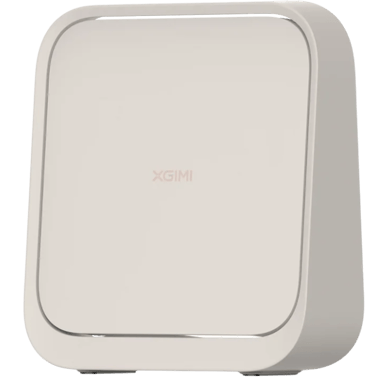
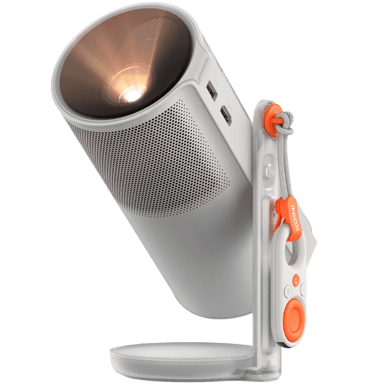
 Recaptor
  0 Cartling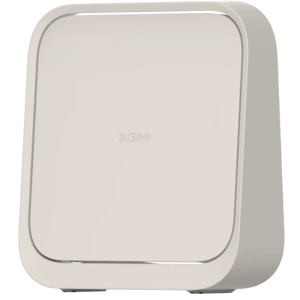
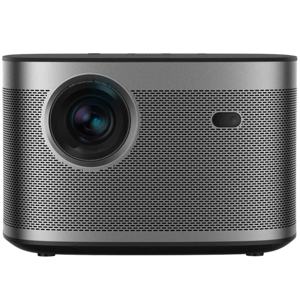
 0 Cartling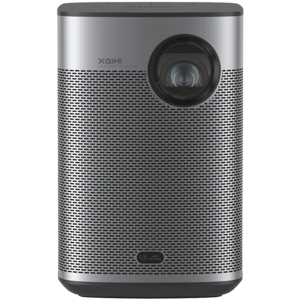
 0 Cartling